Skip to product information
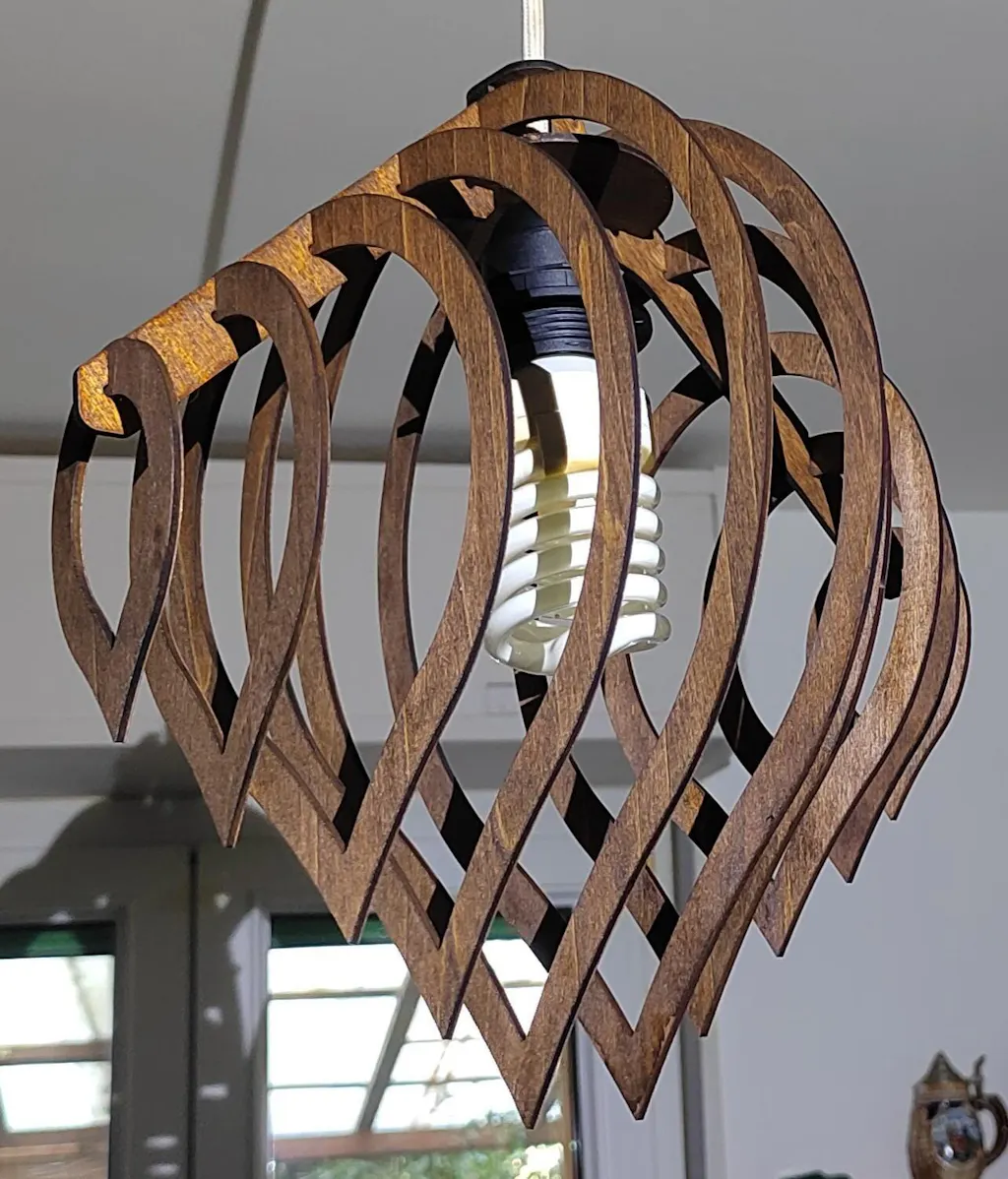
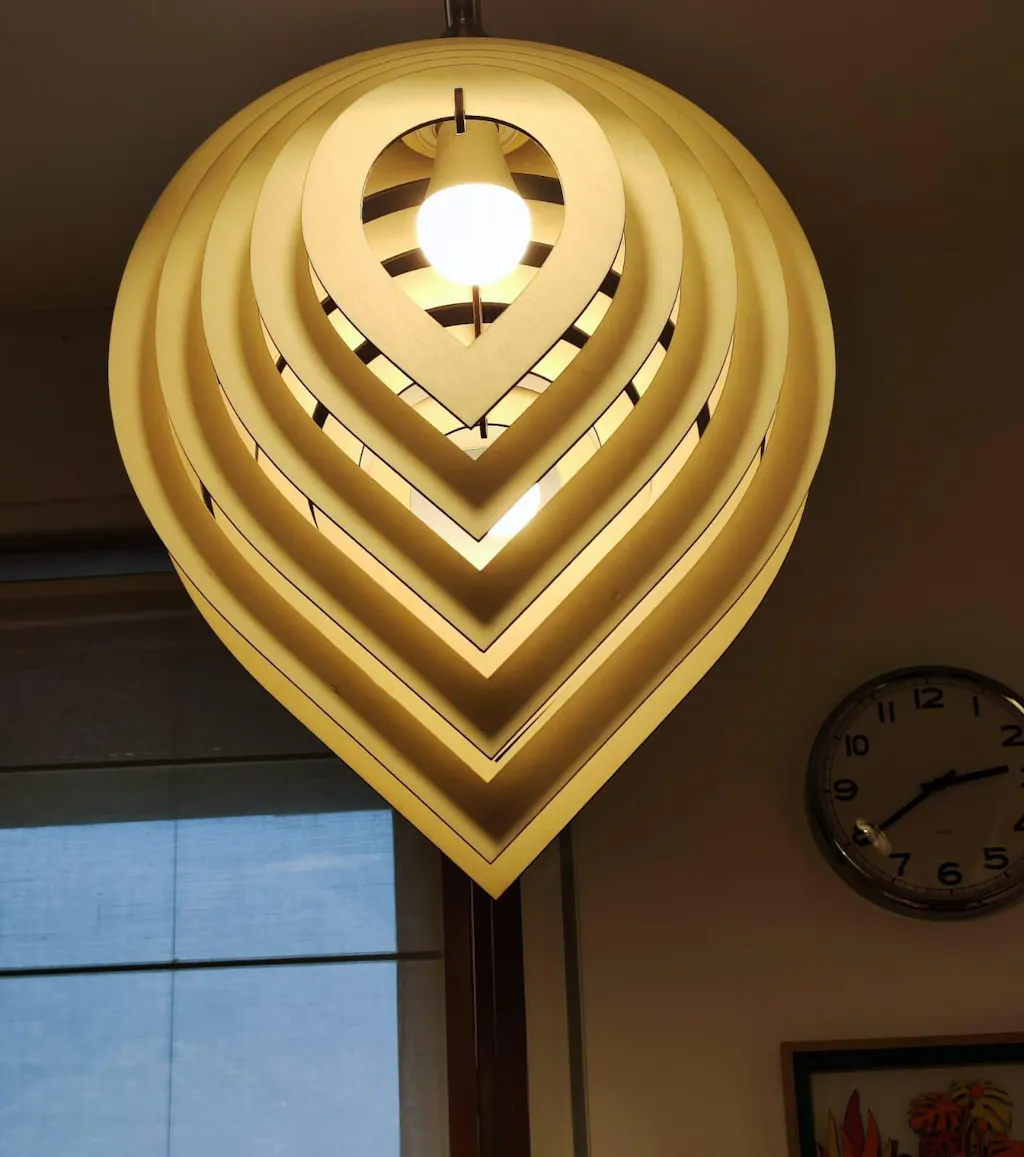
Wooden Lamp Water Drop Shade SVG / DXF - CNC Laser Cut Vector Pattern for Glowforge / Xtool
$5.00 USD
Sale price
$5.00 USD
Regular price
$7.69 USD
Taxes included.
Wooden Lamp with Water Drop-Shaped Shade SVG/DXF Files for Laser Cutting
Illuminate your space with our Wooden Lamp SVG/DXF files, featuring a unique water drop-shaped shade. Designed specifically for laser cutting, these vector patterns are perfect for Glowforge and Xtool users. Ideal for crafting a captivating lighting piece that adds warmth and style to any room, these files enable you to create a lamp that's not only functional but also a work of art.
Key Features:
✔️ Material Compatibility
- 3 mm plywood, cardboard, wood
- 1/8" plywood, cardboard, wood
- 4 mm plywood, cardboard, wood
- 1/6" plywood, cardboard, wood
- 5 mm plywood, cardboard, wood
- 6 mm plywood, cardboard, wood
- 1/4" plywood, cardboard, wood
✔️ This Design Will Require These Operations:
- CNC Laser Cutting.
✔️ Product Dimensions:
- Height: 15.2 inches (386 mm)
- Width: 11.8 inches (300 mm)
- Depth: 11.8 inches (300 mm)
✔️ File Formats Included:
- DXF
- SVG
Important Information:
⚠️ Please Note: This product is offered as a digital download only. No physical item will be delivered.
⚠️ Important Information
• Digital Product: This is a digital CNC machine cutting file; no physical item will be shipped.
• Email Delivery: After checkout, you will receive an automated email containing your download links.
• File Formats: Each design includes DXF, SVG, and PDF formats—the industry standard for CNC plasma, laser, waterjet, and router cutting machines.
⚠️ Legal Information
Commercial Use: These DXF plans are for personal projects or small business ventures (physical items only).
Intellectual Property: Modifying, reselling, or distributing the digital plasma dxf files is strictly prohibited. All media is protected by copyright. Unauthorized digital resale or redistribution is illegal and may result in legal action.
⚠️ Technical Support & Scaling
• Unit System: All designs are created in millimeters (mm).
• Import Issue: If your software is set to inches, the DXF plans may appear 25.4 times larger than intended.
• The Fix: Re-import the file and select millimeters as the unit in your software's import settings.
• Manual Scaling: If you cannot change import units, scale the design by 0.03937 (or 3.94%) to convert from mm to inches.